
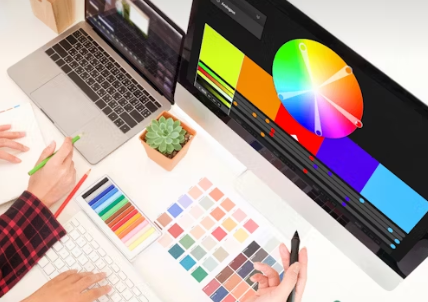
The Rise of AI Graphic Tools: How Designers Are Creating More in Less Time (2025 Guide)
The world of graphic design is evolving faster than ever, and at the center of this transformation is AI-powered design software. In 2025, designers—from freelancers to marketing teams—are using AI to create polished, on-brand graphics in a fraction of the time.
Instead of replacing creativity, AI is becoming a creative teammate that boosts productivity, accelerates workflows, and opens new artistic possibilities.
Whether you’re a beginner looking for fast design solutions or a professional wanting to scale your output, this guide highlights the key AI graphics trends and tools reshaping the industry.
Why AI Graphic Tools Are Taking Over in 2025
1. Faster Turnaround Time
AI eliminates many repetitive tasks: Background removal, Auto-resizing, Color correction, Layout generation
What used to take hours can now be done in minutes—perfect for businesses with high content needs.
2. Smarter Design Recommendations
AI design software now analyzes brand colours, fonts, and audience behaviour. It can suggest layouts, visuals, and creatives that improve engagement.
3. High-Quality Graphics Without High Skill
Even non-designers can now create ads, posters, thumbnails, and presentations with professional polish. This levels the playing field for small businesses, coaches, and online entrepreneurs.
4. Creative Expansion for Designers
AI doesn’t replace designers—it enhances them.
Creatives can explore more styles, generate concepts quickly, and focus on strategy rather than execution.
🔥 Top AI Graphic Design Tools You Should Use in 2025
Here are the major players with direct links:
Canva AI — Your all-in-one AI assistant inside Canva: Canva AI (Canva)
Best for: Social media graphics, marketing materials, branding
Features: Magic Media (AI image generator) (Canva) · Magic Design (auto layouts) (Canva) · Magic Write (content generation) · Brand kits
Adobe Firefly — The generative-AI suite from Adobe Inc.: Adobe Firefly (Adobe)
Best for: Professional artists, photo editors, designers
Features: Text-to-image, vector recolouring, smart photo edits, commercial-safe model training
Midjourney — The creative powerhouse for concept art and high-style graphics: Midjourney (midjourney.com)
Best for: Concept art, branding moodboards, highly stylised visuals
Features: High-resolution image generation from text prompts, community & Discord-based workflow
Figma AI — Built into the UI/UX design platform Figma: Figma AI (Figma)
Best for: Product designers, app mockups, UI teams
Features: Auto-generated wireframes, smart layout suggestions, prompt-to-prototype “Make” feature
DALL·E 3 — From OpenAI: DALL·E 3 (OpenAI)
Best for: Marketing teams, ad creative, product visuals
Features: Highly accurate text-to-image generation, commercially usable outputs, refined prompts
📈 2025 AI Graphic Trends Every Brand Should Pay Attention To
1. AI-Driven Branding
Startups and small brands now generate logos, palettes, and full brand kits in minutes using AI. Expect more tools that let you define a brand “voice” visually and automatically apply it across graphics.
2. Personalized Visual Content
AI will increasingly tailor graphics based on user behaviour, demographics, or real-time data—leading to higher conversion rates in ads and email campaigns.
3. Dynamic Social Media Content
Templates that update automatically (based on trends, seasons, or data inputs) will become standard for high-volume creators. AI design tools will let you spin out dozens of variations in minutes.
4. AI-Assisted Motion Graphics
More tools — including Firefly and others — are adding video / animation generation. Designers will no longer need full-blown editors to produce short motion graphics and animated ads.
💡 How Designers Can Use AI Without Losing Authenticity
AI can speed up your workflow, but your creativity is still the magic ingredient. Here’s how to keep your unique touch:
Use AI for ideas and rough drafts, then refine manually.
Build your own prompts and design guidelines to maintain consistent visuals.
Combine multiple AI tools for more unique results (e.g., generate with Midjourney + polish in Firefly or Canva).
Always customise templates and outputs to align with your brand identity and voice.
Review commercial-use and licensing terms (especially with generative AI) to protect your brand.
AI Isn’t the End of Design – It’s a New Era
AI graphic design tools aren’t here to replace designers—they’re here to remove the manual work, spark creativity, and help teams produce more high-quality content in less time.
Whether you’re a business owner, a social media manager, or a designer, embracing AI in 2025 means staying competitive and keeping your visuals fresh, fast, and engaging.
Jump in, explore the tools above, and start testing how AI fits into your workflow.
Unlock the future of design in 2025 — start using AI graphic tools like Canva AI, Adobe Firefly, Midjourney, Figma AI, and DALL·E 3 to create polished, on-brand visuals faster than ever. Elevate your creativity, boost productivity, and stay competitive by experimenting with AI-powered design today!
AI Video Graphics: How Generative Tools Are Transforming Motion Graphics & Animation
In 2025, motion graphics and animation are undergoing a profound shift. The rise of generative AI video tools is transforming how creators produce animated content — from marketing videos and social posts to full-blown motion design sequences.
Instead of a lengthy production pipeline (storyboard → keyframes → animation → render), you can now begin with a text prompt or static design and let AI drive creation.
If you work with video, social content, branding, or graphic design, this shift matters. Here’s how it works, why it’s important, and which tools you should watch.
🚀 Why AI Video Graphics Are a Game-Changer
1. Huge Speed Gains
Tasks that normally take hours of key-framing and motion design are being trimmed to minutes or even seconds. This means faster turnaround, more iterations, and less waiting for renders.
2. Lower Skill Barrier
Animation and motion graphics often require specialist tools (After Effects, Cinema 4D) and deep skill. With AI tools you can start with simple prompts, templates or static visuals and generate dynamic motion without advanced training.
3. Scalability & Volume Content
For social media, ads, and marketing you often need many variants. AI motion-graphics tools make it feasible to generate multiple versions quickly (different aspect ratios, colors, texts) in a way previously reserved for static graphics.
4. Creative Exploration
Generative tools enable experimentation: different styles, camera moves, character motions, transitions. They free up designers to spend more time on concept and less on rote animation.
🔧 Top AI Tools for Video Graphics and Animation (with links)
Hera – A dedicated AI motion-graphics tool for animations and motion design. “Create professional AI motion graphics, AI animations…” as described on their site. (Hera – Your AI Motion Designer)
Link: hera.video
Animaker – An online animation & video-maker platform powered with AI. Good for animated videos, explainer videos, social media. (Animaker)
Link: animaker.com
**Renderforest AI Animation Generator – A tool that enables animated videos (even realistic ones) from simple prompts, for all experience levels. (Renderforest)
Link: renderforest.com/ai-animation-generator
Jitter – Web-based motion design tool that lets designers animate easily (import from Figma, animate layers). While not purely “text-to-video” AI, it supports motion graphics workflow with ease. (Jitter)
Link: jitter.video
**Adobe Firefly – AI Animation Generator – From legends in design, their AI animation generator supports 2D & 3D content from images or text, commercially safe. (Adobe)
Link: adobe.com/products/firefly/features/ai-animation-generator.html
**Runway – AI Video Generation Platform – Text-to-video, image-to-video, used for mixed-media projects including motion graphics. (Runway)
Link: runwayml.com
📈 Key Trends in Motion Graphics & Animation (2025)
Here are some of the major shifts you should keep on your radar:
Text-to-video & image-to-video: Instead of crafting every frame, you describe what you want and AI builds the movement. Tools like Adobe Firefly support this. (Adobe)
Template + variation generation: AI enables creating motion versions of static assets (e.g., logos, icons) or dozens of video ad variants quickly.
Vertical & social-friendly formats: Motion graphics optimized for Reels, TikTok, Shorts — the tools above often allow auto-resizing and format changes.
Hybrid workflows: Designers combine AI-generated motion with manual refinement, blending automation + craft.
Commercial-safe models: With concerns around rights and copyright, tools like Adobe Firefly emphasise commercially safe model training. (Adobe)
Democratisation of motion design: Motion graphics is no longer only for specialists; marketers, social media teams, small businesses can now generate animated content.
✅ How to Incorporate AI Video Graphics into Your Workflow
Here’s a practical checklist to use:
Define your objective: What kind of motion graphic do you need? Social media ad, explainer video, intro/outro, branding animation?
Select the right tool: Match your need with tool level — e.g., simple social post = Animaker or Jitter; high-end branding motion = Firefly or Runway.
Start with static assets or prompt: Upload a logo, brand assets, or type a prompt such as “white background, brand colours, logo rotates in, text swipes in”.
Generate multiple variations: Use AI to spin several versions — different camera moves, transitions, durations, formats (16:9, 9:16, 1:1).
Refine & brand-fit: Customize colours, motion timing, typography to match your brand style.
Export & test formats: Ensure you have the right aspect ratio for each platform (YouTube, Instagram, LinkedIn).
Measure performance: For social content, test which motion version drives higher engagement. Use AI to rapidly iterate based on data.
The world of motion graphics and animation is changing fast. With AI video graphics tools, what used to require specialized talent and long timelines can now be approached with speed, flexibility, and experimentation.
However:
Be mindful that AI doesn’t replace creative direction — you still need vision, brand identity, and storytelling.
Licensing and commercial-use still matter: ensure the tool’s output is rights-cleared (look for “commercial-safe” claims).
Start experimenting with AI photo editing tools today and unlock professional-quality results without the steep learning curve — perfect for creators, small businesses, and photographers looking to enhance images, upscale resolution, and refine visuals effortlessly in 2025.
How AI Tools Are Changing the Future of Photography & Photo Editing
AI photo editing, AI photography tools, image enhancement AI
In 2025, AI is no longer a futuristic add-on for photography — it’s deeply embedded in how modern creators edit and enhance images.
From automatic retouching to upscaling low-resolution photos, AI photography tools are accelerating workflows, leveling up the quality of output, and opening up creative possibilities that were once time-consuming or difficult to achieve.
Whether you’re a professional photographer, a content creator, or just someone who wants to make their photos look more polished, here’s how image enhancement AI is reshaping the landscape — and which tools you should check out.
🚀 Why AI Is a Game Changer for Photo Editing
Speed & Efficiency
AI automates repetitive editing tasks: noise reduction, object removal, and color correction.
You can now process large batches of images faster, freeing up more time for creative direction.
Smart Enhancements
AI models analyze an image and make intelligent suggestions: adjust lighting, enhance faces, or refine the mood.
You don’t have to tweak dozens of sliders — many tools let AI handle the heavy lifting.
High-Quality Upscaling
With AI upscaling, even low-resolution or old photos can be transformed into crisp, high-resolution images.
This is especially useful for printing, restoration, or repurposing content.
Lower Barrier to Professional Results
You don’t need to be a Photoshop expert to produce polished results — AI editing tools make advanced retouching more accessible.
Ideal for social media creators, small business owners, or amateur photographers.
Creative Exploration
AI lets you experiment with styles, creative effects, or sky replacements very quickly.
It also opens the door to non-destructive editing: use AI to generate versions, then refine manually.
🔧 Top AI Tools Transforming Photo Editing in 2025
Here are some of the leading AI-powered tools for photography and image enhancement, plus what makes them especially useful:
Luminar Neo
A powerful desktop editor (macOS & Windows) with a suite of AI tools for enhancing photos. Features include Relight AI (depth-aware lighting), Accent AI (automatic enhancement), Sky AI (sky replacement), and Portrait Bokeh AI. (Skylum)
Website: Skylum Luminar Neo (Skylum)
Topaz Gigapixel (AI Upscaling)
Designed for upscaling images with AI: increase resolution up to 16× while preserving detail. Great for restoring or printing images. (Topaz Labs)
Website: Topaz Gigapixel AI (Topaz Labs)
Topaz Photo AI
A comprehensive enhancement tool (noise reduction, sharpening, and detail recovery) from Topaz Labs. (topaz-labs.web.app)
Remove.bg
Specializes in automatic background removal using AI — extremely useful for product photographers, e-commerce, or design assets. (aiphotoverse.com)
Fotor AI Photo Editor
A web-based, user-friendly editor for quick enhancements — includes AI filters, background remover, and one-click retouching. (Muksalcreative)
PicWish
An AI tool available on web, desktop, and mobile that offers background removal, image enhancement, object removal, and more. (Wikipedia)
Radiant Photo
Focuses on intelligent auto-correction: it analyzes each photo and applies optimizations (tone, color, clarity) automatically, while still giving you manual control. (Wikipedia)
Remini
An AI-powered mobile tool that enhances old or low-quality photos, sharpens faces, and restores details. (Techie Gearz)
📈 Key Trends in AI Photography for 2025
AI-Driven Retouching
Tools like Luminar Neo and Topaz’s suite are becoming standard for retouching skin, skies, and lighting — but now they do so with smart automation.
Expect more portrait-centric AI features (blemish removal, face enhancement) to evolve.
Massive Upscaling for Print & Web
As AI upscaling (like Topaz Gigapixel) gets better, photographers can repurpose low-res digital shots for large-format prints or high-resolution needs.
On-the-Fly Background Editing
Removing and replacing backgrounds is now faster and smarter — tools like Remove.bg are being used not just by designers, but photographers managing product inventories or content.
Batch AI Editing
AI tools increasingly support batch processing: apply enhancements, remove objects, or upscale many photos at once.
AI + Human Hybrid Workflows
Many creators use AI as a first pass (automatic enhancements), then refine manually. This hybrid workflow is becoming the norm.
Mobile-First AI Editing
Mobile AI photo editing apps (Remini, PicWish) are growing more powerful, making high-quality editing accessible on the go.
✅ Practical Tips: Use AI Tools in Your Editing Workflow
Start with the raw: Import your RAW or highest-quality files into AI tools to maximize what AI can enhance.
Use AI for base adjustments: Let AI handle lighting, noise, and general correction. Then polish manually for style.
Batch where possible: For shoot after shoot, use batch AI enhancement to speed up your workflow.
Upscale wisely: Use AI upscaling (e.g., Gigapixel) for images where you need higher resolution — but check details after.
Mind licensing & usage: Check the terms of AI tools you use, especially if you’re enhancing commercial images.
Keep a non-AI copy: Always save a version of the original or lightly edited image. AI is powerful, but you may want to revert or re-edit later.
AI is no longer a niche novelty for photographers — it’s a core part of modern photo editing. With AI photography tools like Luminar Neo, Topaz Gigapixel, Remove.bg, and more, creators can significantly boost productivity, unlock new creative possibilities, and produce pro-level images faster.
But the most powerful workflows will be those that combine AI with human creativity. Use AI for speed and automation, but guide it with your artistic vision.
Start experimenting now and unlock professional-quality results without the steep learning curve!
No responses yet