
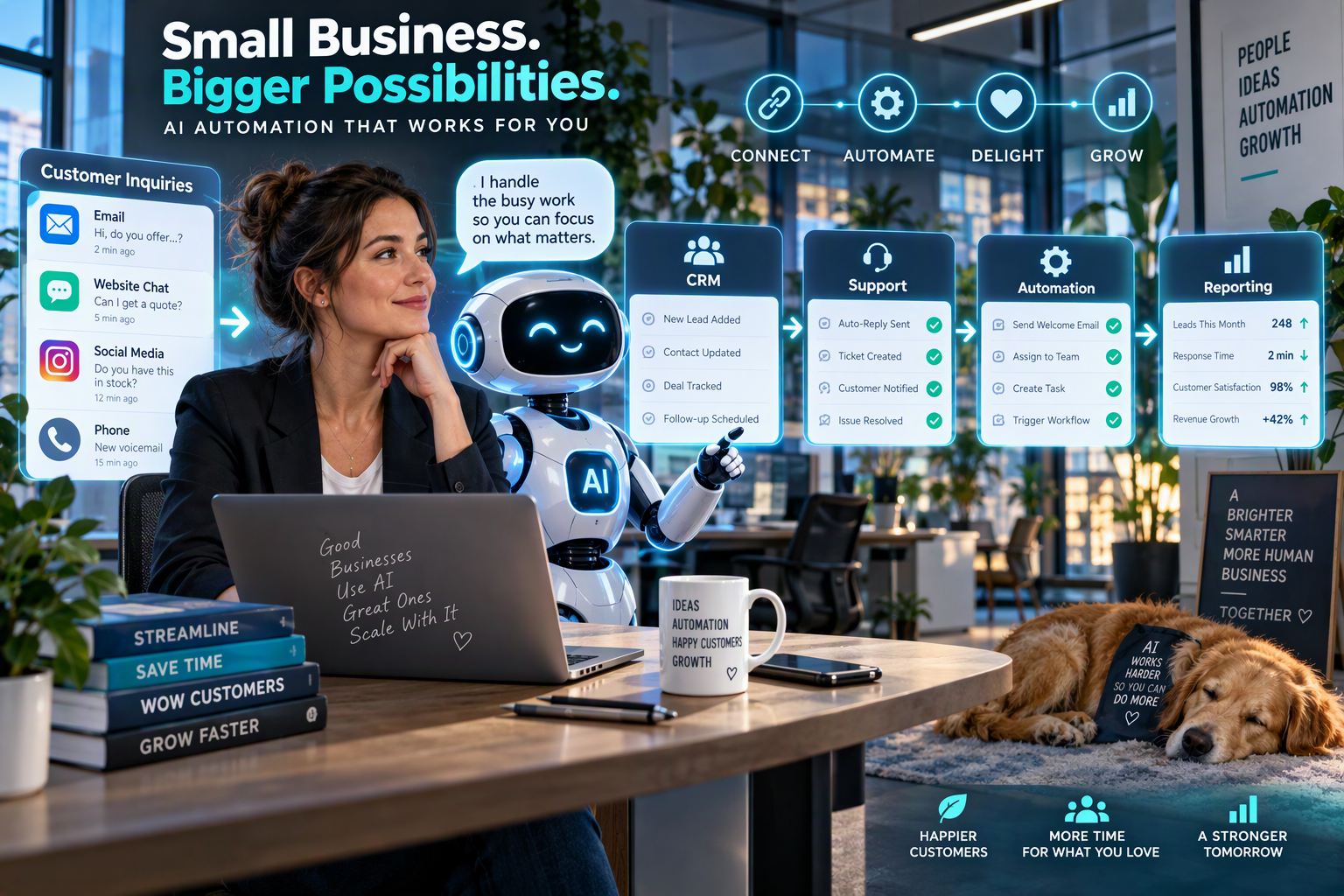
How to Use AI to Save 10 Hours a Week (Without Losing Quality)
Most business owners don’t have a time problem. They have a repetitive-work problem. Emails, reports, scheduling, data entry, and follow-ups quietly eat the hours you’d rather spend on growth, clients, and big-picture thinking. The good news is that AI can give a large part of that time back, as long as you use it with a plan instead of random experiments.
Here is a simple approach that works for solo founders and small teams alike.
1. Start with your most repeated task
Look back at your last week. Which task did you do three or more times? Replying to similar emails, summarizing meetings, writing social posts, and updating spreadsheets are all strong candidates. Pick just one and automate it first. A small, visible win builds trust in the process and shows your team that AI is a helper, not a threat.
2. Use AI for first drafts, not final drafts
AI is fastest at getting you from a blank page to a solid starting point. Let it write the outline, the email, or the report summary. Then add your voice, check the facts, and approve it. This keeps quality high while cutting drafting time by half or more. Your name goes on the work, so your judgment should always be the last step.
3. Build reusable prompts
Don’t retype instructions every time. Save a prompt template for each recurring task, such as “Summarize this meeting into decisions, owners, and deadlines.” Templates give your team consistent results, make training new hires easier, and turn one good idea into a repeatable system.
4. Connect AI to the tools you already use
The biggest savings happen when AI works inside your existing systems: your CRM, inbox, calendar, and project board. For example, when a new lead arrives, an automated workflow can tag it, draft a personalized reply, and create a follow-up task for your team. Nobody has to copy and paste between tools, which also reduces human error.
5. Measure the time you save
What gets measured gets improved. Track how long a task takes before and after automation. If a weekly task drops from three hours to 45 minutes, you’ve gained more than two hours a week. Over a year, that single change returns over 100 hours, and you can repeat it across several tasks.
Common mistakes to avoid
- Automating a broken process. Fix the workflow first, then speed it up.
- Skipping human review. Anything client-facing deserves a second look.
- Trying to automate everything at once. Start small, learn, then expand.
- Ignoring data privacy. Never paste sensitive client information into tools you haven’t vetted.
A realistic weekly picture
Imagine saving two hours on email replies, two on reporting, two on content drafts, two on lead follow-up, and two on scheduling and admin. That’s 10 hours, a full workday, returned to you every week. What you do with it matters most: new clients, better service, or simply a healthier work-life balance.
The takeaway
AI doesn’t replace your expertise. It removes the busywork around it. Start with one task, measure the result, and build from there.
Ready to find your biggest time-saver? Dimona.Biz can review your workflow and show you exactly where AI fits. Book a Free Consultation
AI Automation for Small Businesses: Where to Start in 2026
If you’ve been putting off AI automation because it sounds technical or expensive, here’s some encouraging news: you can start small, spend little, and see results within weeks. The secret is knowing where to begin and what to leave for later.
What is AI automation?
Simply put, it’s software that handles repeatable tasks for you and uses AI to make smart decisions along the way. Traditional automation follows rigid rules: “if this happens, do that.” AI automation goes a step further. It can read an incoming message, understand what the person wants, and respond or route it appropriately. That flexibility is what makes it so useful for real-world business tasks.
The four best places to start
Lead follow-up. Slow replies lose sales. Automated workflows can send an instant, personalized response to every new inquiry, then remind your team when a lead goes quiet. Nothing slips through the cracks, even on busy days.
Customer support basics. Many questions repeat: pricing, hours, delivery, and how-tos. AI can answer these instantly, any time of day, and pass complex issues to a real person. Customers get faster help, and your team focuses on the problems that need a human.
Content and newsletters. AI can turn one idea into a blog post, an email, and a few social captions. You review, adjust, and publish. This keeps your brand visible and consistent without hiring a full-time writer.
Admin and reporting. Invoices, weekly summaries, and data updates can run on autopilot. Your team sees clean, current numbers without hours of spreadsheet work.
A simple 4-step plan
- List your top five most time-consuming tasks.
- Rank them by hours spent and how easy they are to automate.
- Automate the top one using a simple tool or workflow.
- Review after two weeks, fix what’s not working, and move to the next task.
What to avoid
Don’t start with your most complex process, because early frustration kills momentum. Don’t skip testing: run every new workflow with a few real examples before going live. And don’t remove the human option. Customers should always be able to reach a real person when they need one.
What results can you expect?
Businesses that automate follow-ups and admin tasks often see faster response times, fewer dropped leads, and noticeably more time for revenue-generating work. Your results will depend on your starting point, your tools, and how clean your current process is, which is why a quick audit helps you set realistic goals.
How to know if you’re ready
You’re ready if you can answer yes to any of these: Do you repeat the same task every week? Do leads or requests sometimes wait too long for a reply? Do you spend more time on admin than on serving customers? If so, automation will likely pay off quickly.
The takeaway
You don’t need a big budget or a technical team. You need a clear first target and a reliable setup. Begin with one workflow, prove the value, and grow from there.
Want a custom automation plan for your business? Contact Dimona.Biz
7 Smart Ways to Use AI in Your Marketing This Quarter
The final quarter of the year is a powerful window to tighten your marketing. Customers are making buying decisions, budgets are being planned, and competitors are getting louder. AI can help you create more, personalize better, and learn faster, but only if you use it with purpose. Here are seven practical ways to start.
1. Speed up content planning
Use AI to brainstorm topics based on the real questions your customers ask. Feed it your FAQs, support emails, and sales call notes, then build a simple monthly calendar around the best ideas. You’ll publish content people actually search for.
2. Draft first, then personalize
Let AI produce blog and email drafts, then add your stories, examples, and brand voice. Readers can tell when content is generic. A draft that starts with AI but ends with your expertise saves time without sounding robotic.
3. Segment your email list
Group subscribers by interest, purchase history, or behavior. AI can help you spot patterns and write messages that match each group. Personalized emails usually outperform generic blasts because they feel relevant to the person reading them.
4. Improve your website copy
Ask AI to suggest clearer headlines, stronger calls to action, and simpler page structure. Then test one change at a time, such as a new button label or a shorter form, and keep what improves results. Small copy changes often lift conversions more than a full redesign.
5. Repurpose what already works
Take your best-performing blog post and turn it into a newsletter, a short video script, and a handful of social posts. You get more reach from a proven idea and spend far less time creating from scratch.
6. Analyze performance faster
Share your campaign data with an AI assistant and ask what’s working, what isn’t, and what to test next. It turns raw numbers into plain-language next steps, which is especially helpful if you don’t have a dedicated analyst.
7. Respond to leads faster
Pair your marketing with automated follow-up. A prospect who gets a helpful reply within minutes is far more likely to stay engaged than one who waits a day. Fast response is one of the easiest conversion wins available.
Keep the human in charge
AI is a powerful assistant, but it needs your judgment. Always fact-check claims, protect customer data, and review content before it goes live. Trust is your biggest marketing asset, and one careless mistake can cost more than automation saves.
A simple 30-day test
Pick two ideas from this list and try them for 30 days. Track one number for each, such as email open rate, leads per week, or form completions. At the end of the month, keep what worked, drop what didn’t, and add one new idea. Steady, measured progress beats a big, unfocused overhaul every time.
The takeaway
The businesses that win with AI aren’t the ones using the most tools. They’re the ones using a few tools consistently, measuring results, and keeping a human voice at the center.
Want help turning more visitors into customers? Dimona builds the systems that do it.
Comments are closed