
AI Weekly Insights — September 25, 2026
How AI Is Cutting Customer Response Times by 80%
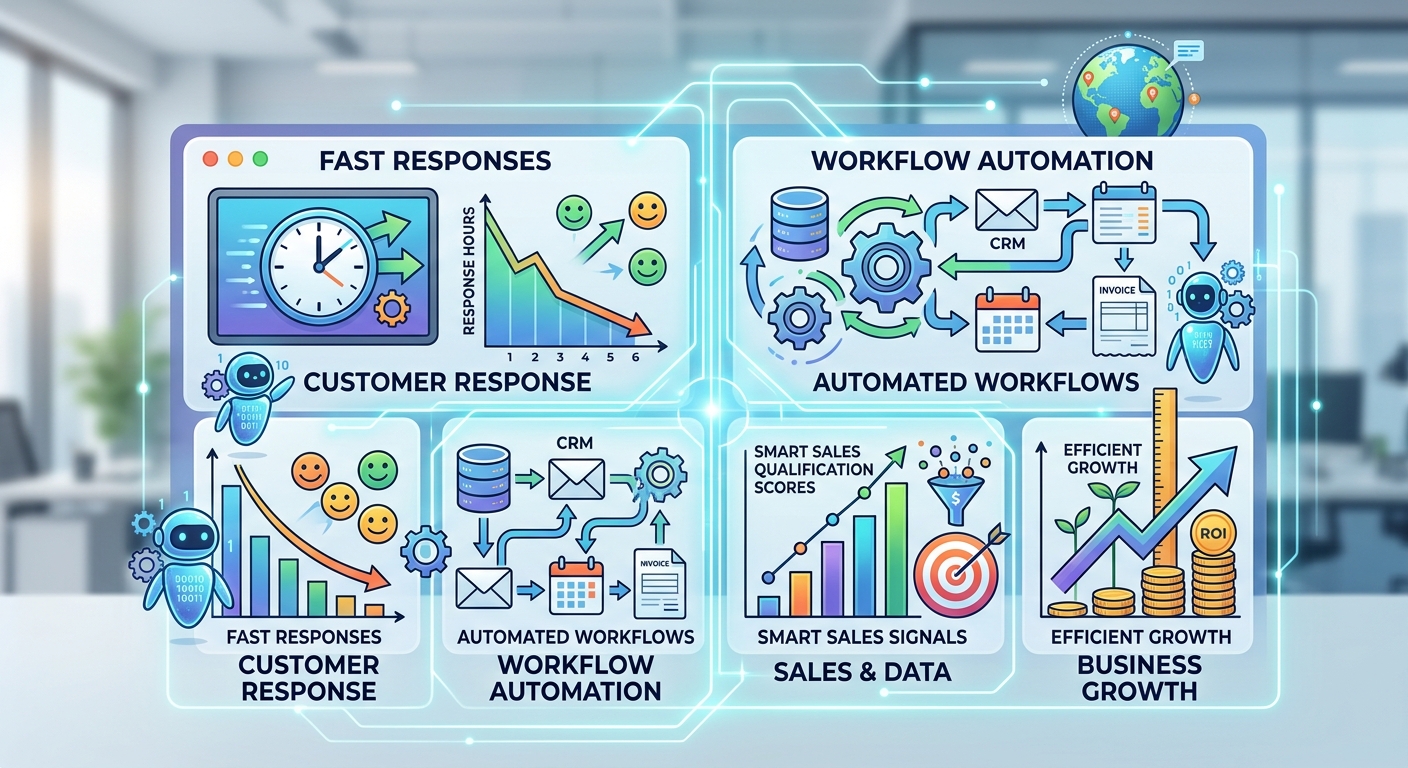
Customers today expect answers in minutes, not hours. Businesses that can’t keep up lose deals, damage trust, and burn out their support teams. AI-powered customer service tools are closing that gap fast, and the results are hard to ignore.
Why Response Time Still Decides the Sale
Slow replies don’t just frustrate customers, they cost revenue. Studies consistently show that leads contacted within five minutes convert at dramatically higher rates than those contacted an hour later. The math is simple: every extra minute a prospect waits, the odds of losing them to a competitor climb. AI chat agents and automated triage systems remove the delay entirely, engaging prospects the moment they reach out, day or night, weekends included.
Where AI Fits Into Support Workflows
- Instant first response: AI chatbots handle FAQs, order status, and basic troubleshooting around the clock, so no customer sits in a queue wondering if anyone noticed them.
- Smart routing: AI reads incoming tickets and sends complex issues straight to the right human agent, skipping the usual back-and-forth of manual triage.
- Sentiment detection: Frustrated customers get flagged and escalated automatically, before a bad experience turns into a lost customer or a public complaint.
- Auto-drafted replies: Support agents review and send AI-suggested responses instead of typing from scratch, cutting handling time significantly while keeping a human in control of tone.
The Business Case
Companies adopting AI support tools report lower cost-per-ticket, higher first-contact resolution, and support teams that can scale without proportional hiring. This matters most during growth spurts or seasonal spikes, when hiring temporary staff is expensive and slow. The technology isn’t replacing agents; it’s removing the repetitive, low-value work so people can focus on complex, high-stakes conversations that actually need judgment and empathy.
Getting Started the Right Way
The businesses seeing the best results don’t try to automate everything at once. They start small: pick one high-volume, low-complexity workflow, like order status checks or password resets, automate it, measure the impact over a few weeks, then expand to the next bottleneck. This staged approach avoids the common trap of over-investing in a tool before proving it works for your specific customers.
Ready to modernize your support workflow? Book a free 15-minute consultation to see which AI tools fit your team’s needs.
Automating Workflows with AI: A Small Business Guide
Most small business owners aren’t drowning in strategy, they’re drowning in repetitive tasks. Data entry, follow-up emails, appointment reminders, invoice tracking. Hours vanish into work that adds no real value, and it’s usually the owner or a stretched-thin employee doing it manually. AI workflow automation is changing how much of that work actually needs a human touch.
What “AI Workflow Automation” Really Means
It’s not about replacing your team or building some complex tech stack. It’s about connecting the tools you already use, your CRM, email, calendar, and forms, so information flows between them automatically, with AI making small decisions along the way, like categorizing a lead, drafting a follow-up, or flagging an overdue invoice.
High-Impact Places to Start
- Lead intake: New form submissions automatically tag, score, and route leads to the right person, instead of sitting in an inbox until someone remembers to check.
- Follow-ups: AI drafts and schedules personalized follow-up emails based on customer behavior, so no lead falls through the cracks just because nobody had time to write a message.
- Scheduling: Automated booking and reminder systems cut no-shows and eliminate the endless back-and-forth emails trying to find a time that works.
- Reporting: Weekly performance summaries generate themselves instead of eating up a Friday afternoon that could go toward actual growth work.
Why This Matters More in 2026
Automation tools that once required a developer are now built for non-technical users. Platforms with visual, drag-and-drop workflow builders mean a business owner can set up a working automation in an afternoon, no code, no IT ticket, no waiting weeks for a contractor.
A Word of Caution
Automation amplifies whatever process you already have. Automating a messy, disorganized workflow just makes messy mistakes happen faster and at greater scale. Map the process clearly first, fix any obvious gaps, and only then automate it.
Want a workflow audit for your business? Reach out for a free assessment of where automation could save you the most time this quarter.
AI for Sales Teams: Turning Data Into Deals
Sales teams sit on more data than ever, CRM activity, email opens, website visits, call notes, yet most of it goes unused because nobody has time to analyze it manually. AI is changing that by turning raw activity data into clear, actionable signals about who to call, what to say, and when to say it.
Lead Scoring That Actually Works
Traditional lead scoring relies on static rules someone set up once and never revisited. AI-driven scoring learns continuously from actual closed deals, identifying which behaviors, industries, and engagement patterns genuinely predict a sale. Reps spend less time chasing cold leads out of habit and more time on the ones statistically most likely to buy right now.
Personalization at Scale
Writing a truly personalized email to every prospect used to mean choosing between quality and volume. AI tools now draft outreach that references a prospect’s industry, recent activity, or specific pain points pulled directly from CRM data, turning generic templates into messages that actually get replies, without adding hours of manual research per lead.
Forecasting You Can Trust
Instead of gut-feel pipeline reviews where every rep swears their deals will close, AI models analyze deal velocity, engagement history, and rep performance to flag deals at risk of stalling, often weeks before a human manager would notice the warning signs.
Where Teams Go Wrong
The biggest mistake is treating AI outreach as “set and forget.” Messages that go out without human review can feel robotic or miss context, damaging trust with a prospect. The best-performing teams use AI to draft and prioritize, but always keep a human reviewing tone and context before anything actually gets sent.
Bottom Line
AI won’t close deals for your team, relationships and judgment still matter, but it will make sure your best reps are spending their limited time on the right conversations instead of guessing.
Curious how AI could sharpen your sales pipeline? Schedule a quick call to explore tools that fit your sales process.
The ROI of AI Adoption: What Business Owners Need to Know
AI spending is climbing fast across every industry, but plenty of business owners are left wondering whether it’s actually paying off or just adding another subscription to the pile. Here’s a grounded, no-hype look at where AI delivers real returns, and where it quietly doesn’t.
Where the ROI Is Clearest
- Support and service: Lower cost-per-ticket and faster resolution times, both easy to measure against your baseline.
- Content and marketing: Faster first drafts and more consistent output, freeing creative time for strategy instead of blank-page staring.
- Operations: Fewer manual errors and less time spent on repetitive admin work that nobody enjoyed doing anyway.
These are measurable, near-term wins, which is exactly why most successful AI adopters start here instead of betting everything on a vague, company-wide transformation.
Where Businesses Overspend
Broad, all-purpose “AI strategy” initiatives launched without a clear task to automate tend to underdeliver and quietly drain budget. The businesses that struggle most are usually the ones that bought a flashy tool before ever defining the actual problem they were trying to solve.
How to Actually Measure It
Track three things: time saved per task, error rate before and after adoption, and cost-per-outcome, meaning cost per lead, per ticket, or per piece of content produced. If a tool can’t show meaningful movement on at least one of these within 90 days, it’s probably not earning its keep and deserves a second look.
A Realistic 2026 Approach
Start with one workflow, not ten. Measure it honestly, even if the results are underwhelming at first. Expand what works, drop what doesn’t, and resist the pressure to “go all in” before you’ve proven a single use case. AI adoption succeeds in careful stages, not sweeping overhauls.
Not sure where your AI investment would pay off fastest? Book a free ROI assessment and get a clear, prioritized starting point.
Comments are closed