
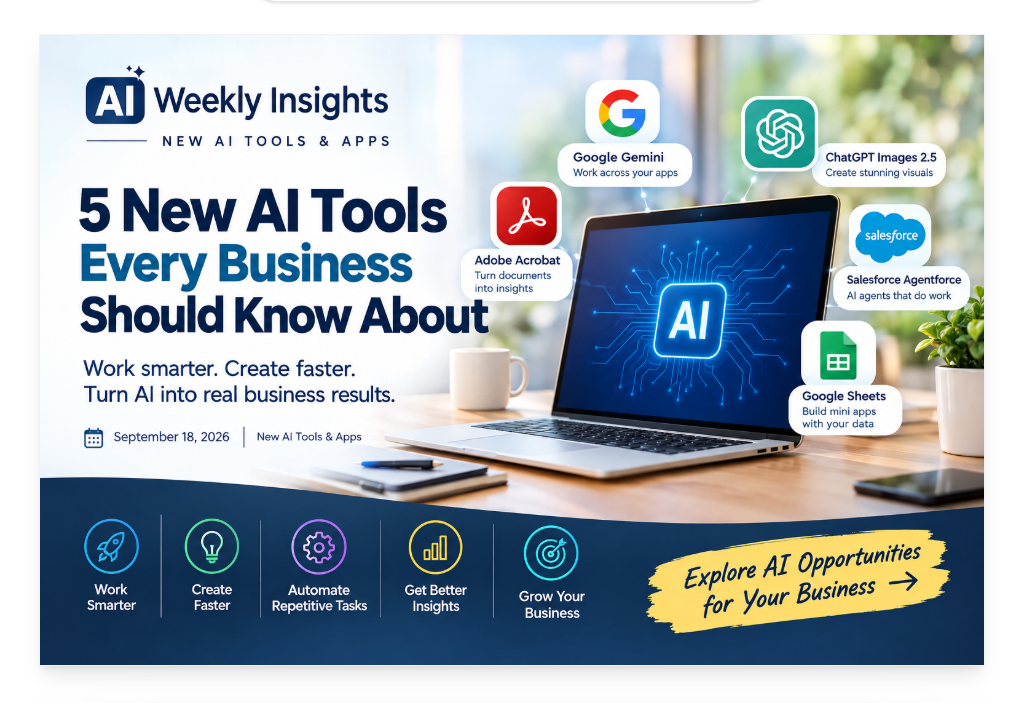
AI Weekly Insights
AI Is Finally Moving Beyond the Chatbox: Google Gemini Can Now Connect Your Work
For years, using AI at work often meant opening another browser tab, typing a prompt, copying information into the chatbot, and then copying the answer back into whatever application you were using.
That process was useful—but it still created extra work.
Google is now pushing AI further into the applications people already use every day.
In September, Google announced new agentic capabilities across Gmail, Drive, Docs, Slides, and Chat. Gemini can work across selected information from these applications and help complete more complex, multi-step tasks instead of simply answering a question.
Why This Matters for Small Businesses
Think about what happens when a new client contacts a business.
Someone might need to:
- Find the original email.
- Look up information in Google Drive.
- Review previous conversations.
- Create a proposal.
- Put the information into a document.
- Share the document with the team.
- Update a spreadsheet.
- Prepare a presentation.
None of these tasks are particularly difficult.
The problem is that they take time when done repeatedly.
The newer approach is to let AI help connect those steps.
Instead of treating AI as a place where you ask isolated questions, businesses can begin treating it as an assistant that works inside the existing workflow.
What Could This Look Like?
Imagine telling Gemini:
“Review the client information in these emails and files, create a project summary, and prepare a draft proposal for me to review.”
Rather than manually collecting everything first, Gemini can use the relevant information you authorize and create a structured first draft.
The human still reviews the result.
That part is important.
AI should not automatically become the final decision-maker for important customer, financial, legal, or operational decisions.
But it can take care of much of the information gathering and first-draft work.
The Bigger Opportunity
This is where AI becomes much more interesting for marketing and operations teams.
Instead of asking:
“What can AI write for me?”
start asking:
“What workflow currently requires me to move information between three or four different applications?”
That is where AI can potentially save more time.
For example:
Lead inquiry → Email → Client information → Proposal → Team notification → Follow-up
could eventually become a much more connected process.
The biggest productivity gains may not come from generating one email 30 seconds faster.
They may come from removing several unnecessary steps from an entire process.
Try This
Choose one repetitive workflow in your business this week.
Write down every step.
Then identify which steps involve:
- Searching for information
- Copying and pasting
- Summarizing
- Creating drafts
- Updating documents
- Sending routine communications
Those are good places to investigate AI assistance.
The future of business AI isn’t just better answers. It’s fewer steps between a task and a finished result.
ChatGPT Images 2.5: AI Design Is Becoming a Real Marketing Tool
Creating professional marketing graphics has traditionally required some combination of design skills, templates, stock photography, editing software, and time.
That’s changing quickly.
OpenAI introduced ChatGPT Images 2.5 on September 8, bringing improvements in image quality, editing, speed, and creative control. The update includes features such as templates, sketch-to-image generation, image comments for editing, and easier sharing of prompts.
For businesses, this is more than an interesting AI feature.
It can become part of the marketing workflow.
Why Visual Content Is a Business Problem
Most businesses understand that they need visual content.
The problem is producing enough of it consistently.
A business may need:
- Social media graphics
- Blog images
- Promotional banners
- Website graphics
- Ad concepts
- Product visuals
- Presentation images
- Event graphics
Creating each image manually can take significant time.
And hiring a designer for every small graphic isn’t always practical for a small business.
AI doesn’t eliminate the need for good design—but it can make the first stage of the process much faster.
From Idea to Image
One useful improvement in ChatGPT Images 2.5 is the ability to start with a rough sketch.
You don’t have to perfectly describe an image using words.
You can provide a visual idea and then tell the AI what you want it to become.
For example:
Sketch:
A simple layout showing a person receiving a phone call.
Instruction:
“Turn this into a clean professional graphic for a small-business marketing campaign. Use a modern business style and leave space for a headline.”
That can help bridge the gap between having an idea and having something visual to work with.
Templates Can Speed Up Repetitive Marketing
Another useful feature is templates for common formats.
This matters because businesses often create similar content repeatedly.
Think about a real estate company posting:
New Listing
or a roofing company posting:
Emergency Roof Repair
or a marketing agency promoting:
Free Strategy Session
The message changes, but the basic visual structure doesn’t have to.
AI can help create variations while the business maintains a consistent brand direction.
But Don’t Let AI Build Your Brand for You
This is where strategy matters.
AI can generate an image.
It doesn’t automatically understand:
- Your target customer
- Your positioning
- Your offer
- Your brand voice
- Your marketing objective
So don’t start with:
“Make me something cool.”
Start with:
Who is this for?
What do I want them to understand?
What action do I want them to take?
Then use AI to help create the visual.
A Better Marketing Workflow
Try this:
Campaign goal
↓
Audience
↓
Message
↓
Offer
↓
Visual concept
↓
AI-generated variations
↓
Human review
↓
Publish
That workflow puts strategy before technology.
And that’s important because better AI doesn’t automatically create better marketing. Better strategy does.
Your Business Documents Are Full of Valuable Information. Adobe Wants AI to Help You Use It.
Businesses generate enormous amounts of documents.
Proposals.
Reports.
Invoices.
Research.
Contracts.
Meeting documents.
Customer information.
Internal procedures.
The problem isn’t necessarily having information.
The problem is getting useful information out of it quickly.
Adobe is addressing that problem with new AI capabilities in Acrobat powered by its Productivity Agent. Announced September 9, the new features can transform complex documents into interactive reports, summary slides, audio summaries, and other formats designed to make information easier to understand.
Why This Matters
Imagine receiving a 50-page industry report on Monday morning.
Your team needs the important information before an afternoon meeting.
Traditionally, someone might spend hours reading the document, highlighting sections, taking notes, and creating a summary.
AI can help shorten the first part of that process.
Instead of starting with:
50 pages → read everything → take notes → summarize
you can move toward:
50 pages → AI-assisted analysis → key information → human review
That doesn’t mean blindly trusting the AI.
It means using AI to help you get to the important information faster.
Turning Documents Into Visual Information
One particularly useful direction is transforming dense information into visual formats.
A business report can potentially become:
- Summary slides
- Interactive reports
- Charts
- Visual explanations
- Audio summaries
This can be useful when different people prefer to consume information differently.
An executive may want a short summary.
A marketing team may want the key customer insights.
A salesperson may want talking points.
A manager may want the numbers.
The underlying document is the same.
The way the information is presented changes.
This Could Be Powerful for Small Businesses
Consider a small business preparing for a quarterly planning meeting.
They may have:
- Sales reports
- Customer feedback
- Financial documents
- Marketing reports
- Competitor research
Instead of treating each document separately, AI can help organize the information into something easier for the team to understand.
For example:
Raw documents
↓
AI-assisted analysis
↓
Important trends
↓
Visual summary
↓
Human discussion
The final decisions still belong to the people running the business.
AI’s job is to help them arrive at those decisions with less manual information processing.
The Bigger Lesson
There’s an important shift happening here.
AI isn’t only becoming a content generator.
It’s becoming an information translator.
It can help turn:
Complex → Simple
Long → Short
Text → Visual
Document → Actionable information
That can have significant value for businesses that deal with large amounts of documentation.
Try This
Take one document your business repeatedly struggles to understand.
It might be a:
- Monthly report
- Research document
- Customer survey
- Sales report
- Industry study
Instead of simply asking AI to “summarize this,” ask it:
“What are the five most important things a business owner should know from this document, and what questions should we discuss before taking action?”
That produces a much more useful starting point.
The value of AI isn’t always creating something new. Sometimes it’s helping your team understand what you already have.
AI Agents Are Moving From Answering Questions to Doing Work
There’s a major difference between an AI assistant that answers a question and an AI agent that can participate in a business process.
Traditional AI might help you write:
“Please follow up with this lead.”
An agentic system moves toward helping execute the workflow surrounding that request.
That distinction is becoming increasingly important.
On September 14, Salesforce announced a new portfolio of Agentforce agents designed around specific business functions, including sales, service, commerce, employee experience, and back-office work. Salesforce says these agents are designed to handle more complex work, pursue goals over time, and work with business data and processes.
What Is an AI Agent?
In simple terms, an AI agent is designed to do more than generate an answer.
It can potentially:
Understand → Plan → Take action → Check results → Continue
That makes agents particularly interesting for repetitive business processes.
Consider a New Lead
A traditional process might look like this:
- Someone fills out a website form.
- A team member receives a notification.
- Someone checks the CRM.
- Someone researches the lead.
- Someone sends a response.
- Someone schedules a follow-up.
- Someone updates the CRM.
That’s a lot of small actions.
An agentic workflow could potentially coordinate several of those steps.
For example:
New lead
↓
Information captured
↓
Lead categorized
↓
Relevant information retrieved
↓
Follow-up prepared
↓
Human approval
↓
CRM updated
↓
Follow-up task created
The exact capabilities depend on the platform, permissions, integrations, and business setup.
But the direction is clear:
AI is moving closer to business execution.
This Doesn’t Mean “Replace Everyone”
That’s an important misconception.
For many businesses, the most useful role for AI agents may be handling repetitive operational work while humans remain responsible for judgment, relationships, and exceptions.
For example:
AI handles:
- Routine data entry
- Information gathering
- Classification
- Drafting
- Notifications
- Standard follow-ups
Humans handle:
- Complex customer situations
- Negotiation
- Strategic decisions
- Sensitive communications
- Exceptions
- Final approvals
This creates a model where AI doesn’t replace the workflow.
It supports the workflow.
Why This Matters for Marketing Operations
This is particularly relevant for marketing operations because so many marketing processes are repetitive.
Think about:
Lead capture → CRM → Tagging → Follow-up → Appointment → Reminder → Sales notification → Reporting
Every individual step may be simple.
But when the business handles hundreds or thousands of leads, those steps become significant.
That is where automation and AI can create leverage.
Start Small
Don’t try to create an autonomous AI employee overnight.
Pick one repetitive workflow.
Document it.
Identify the rules.
Decide where human approval is required.
Then automate the predictable parts.
The smartest starting point for AI agents isn’t “What can we automate?”
It’s:
“What process already works—and contains too much repetitive manual work?”
That’s where agentic AI has the clearest opportunity to create measurable value.
Google Sheets Is Getting an AI Upgrade: Your Spreadsheet Can Become a Mini Business App
Spreadsheets are everywhere in business.
They’re used for:
- Lead tracking
- Project management
- Sales reporting
- Inventory
- Content calendars
- Budgets
- Employee schedules
- Client tracking
But spreadsheets have an obvious limitation:
They aren’t always easy for people to interact with.
Google is addressing this with Sheets Canvas, a new AI-powered capability that can transform spreadsheet data into custom interactive “mini apps.” Google says users can describe what they need in natural language rather than building the visualization from scratch.
Why This Is Interesting
Imagine you have a spreadsheet containing hundreds of leads.
The information may include:
- Lead name
- Source
- Status
- Salesperson
- Follow-up date
- Revenue potential
The spreadsheet contains everything.
But looking at rows and columns doesn’t always make the information easy to understand.
An interactive interface could make it easier to see:
New Leads
Leads Needing Follow-Up
Appointments
Closed Deals
Revenue
Instead of simply staring at cells, the team can interact with the information in a more visual way.
You Don’t Necessarily Need to Be a Developer
That’s one of the interesting parts.
Traditional custom business dashboards can require:
- Development
- Design
- Database setup
- Testing
- Maintenance
AI-powered tools are increasingly lowering the technical barrier.
Instead of explaining your requirements to a developer, you can describe what you want in plain language.
For example:
“Create a simple dashboard showing leads by status, follow-up dates, and salesperson. Let me filter the data by salesperson.”
The AI can help turn that request into an interactive experience based on the underlying spreadsheet.
This Could Be Useful for Small Teams
Small businesses often have plenty of data but limited technical resources.
They don’t necessarily need a massive enterprise system.
Sometimes they just need to make the information they already have easier to use.
A spreadsheet that currently functions as a database can potentially become a lightweight operational tool.
For example:
Marketing team
→ Campaign tracker
Sales team
→ Lead dashboard
Operations team
→ Project tracker
Management
→ KPI dashboard
The important part is that the underlying information doesn’t necessarily have to be rebuilt from scratch.
But Don’t Confuse a Better Interface With Better Data
This is critical.
If your spreadsheet contains outdated or inconsistent information, an attractive AI-generated interface won’t fix the underlying problem.
Before building the dashboard:
Clean the data.
Standardize the fields.
Remove duplicates.
Define your statuses.
Decide which information actually matters.
Then use AI to make that information easier to interact with.
The Bigger Trend
This is part of a much larger movement:
Software is becoming easier to build through natural language.
You don’t always need to start with:
“I need a custom application.”
You can start with:
“I have this business problem. Here’s my data. Here’s what I need my team to see and do.”
AI can increasingly help bridge the gap.
And for small businesses, that could be one of the most practical AI opportunities of all.
Don’t ask whether your business needs another software subscription.
First ask:
“Can we make the tools and data we already have work better?”
AI Weekly Takeaway
The biggest AI story this week isn’t one individual tool.
It’s the direction all of these tools are moving.
AI is becoming more connected to the actual work businesses do.
We’re seeing AI move from:
Chat → Create → Connect → Analyze → Act
That means the opportunity for businesses is becoming bigger than simply using AI to write social posts or emails.
AI can potentially help businesses:
- Process information faster
- Create marketing materials
- Understand reports
- Improve customer workflows
- Automate repetitive operations
- Turn business data into usable tools
But there’s no need to adopt everything at once.
Start with one problem.
Find one repetitive process that consumes time every week.
Document it.
Then ask:
Can AI assist with this?
Can automation connect the steps?
Can a human remain in control of the important decisions?
That’s how AI becomes a business tool instead of just another technology trend.
Ready to Find Where AI Can Save Your Business Time?
You don’t need dozens of AI subscriptions to benefit from AI.
You need the right tools, connected to the right processes.
Dimona.biz helps businesses identify opportunities to use AI, automation, CRM, and digital workflows to reduce repetitive work and improve how they operate.
👉 Let’s find the work your business shouldn’t be doing manually anymore.
Comments are closed